Industry
Grocery
Year
2025
Client
Patrick's
Mobile App
Patrick's
Industry
Grocery
Year
2025
Client
Patrick's
Project Overview
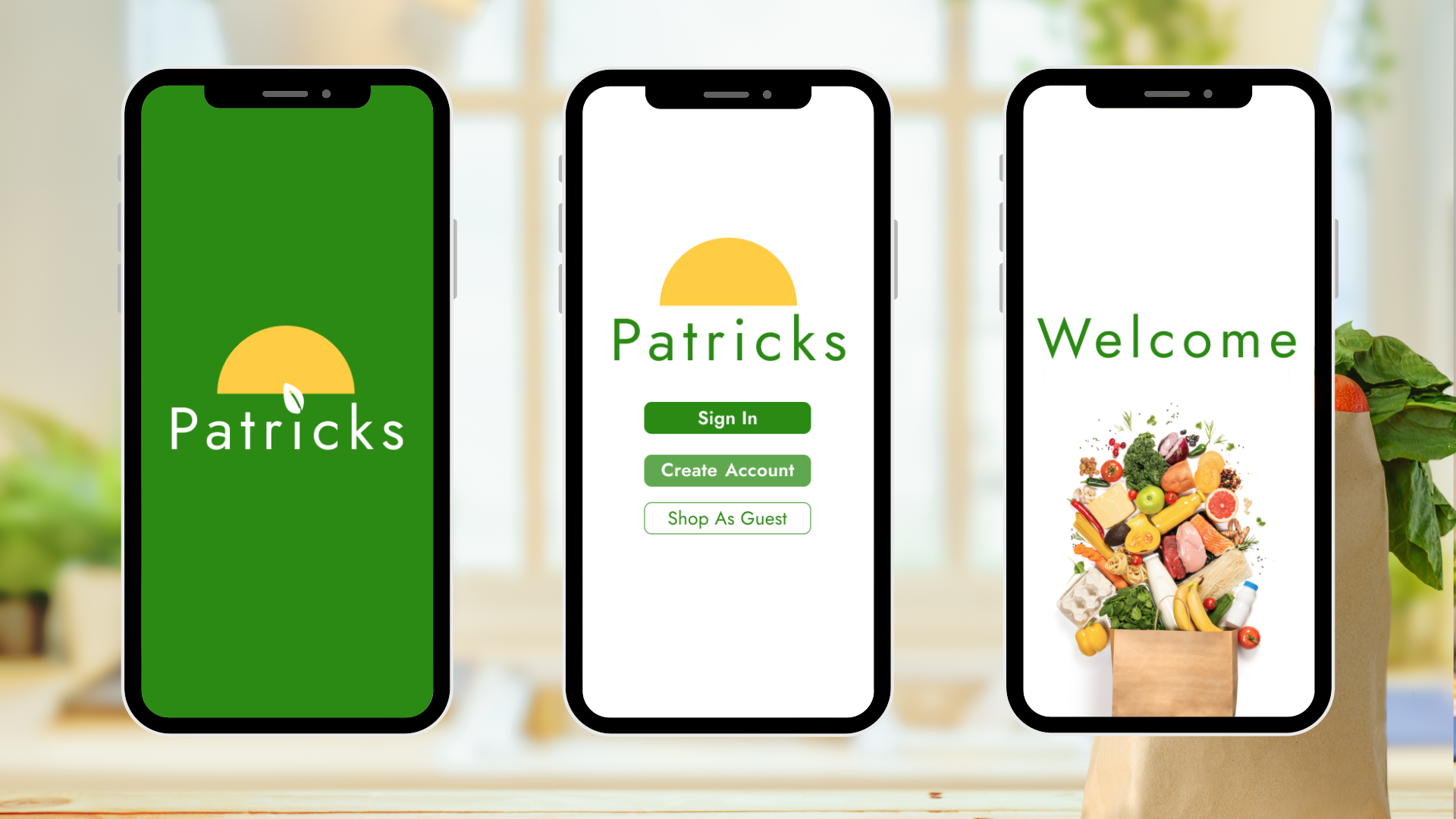
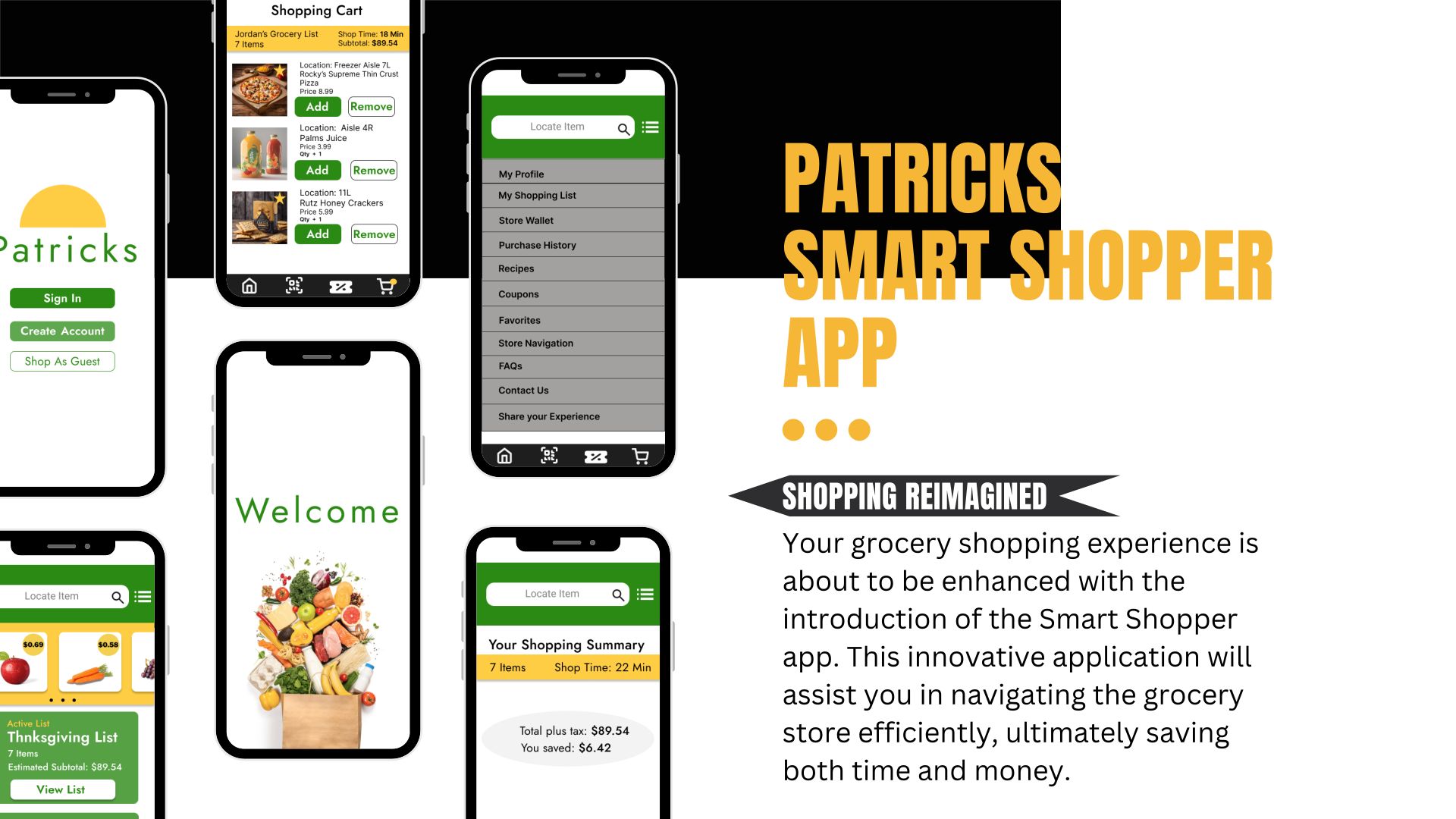
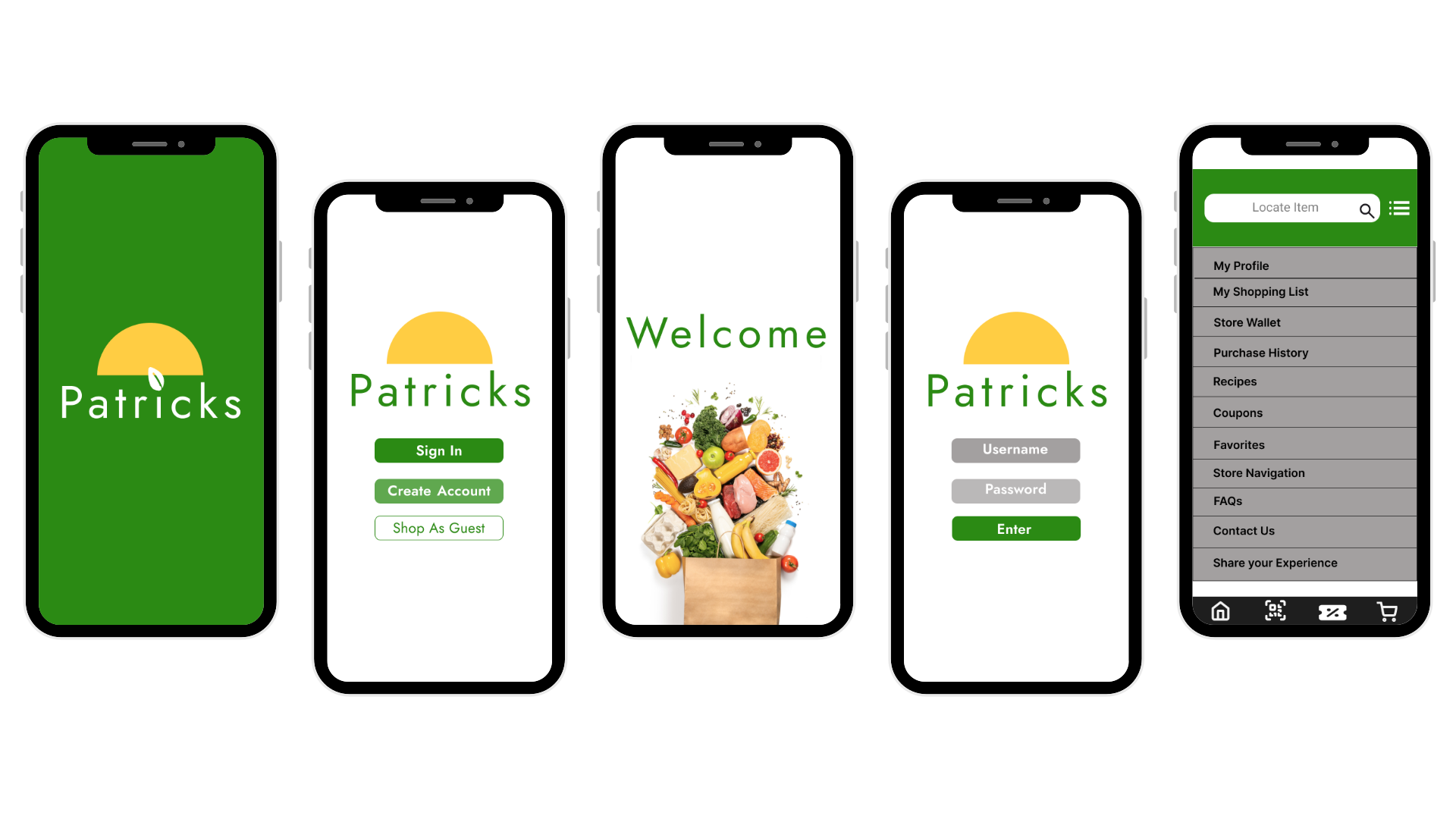
Product: Patrick's - A comprehensive grocery store mobile application designed to streamline the shopping experience through intelligent features and seamless integration.
Timeline: 12 weeks (Research: 2 weeks, Design: 7 weeks, Testing: 3 weeks)
My Role: Lead UX/UI Designer
Tools: Figma
The Challenge
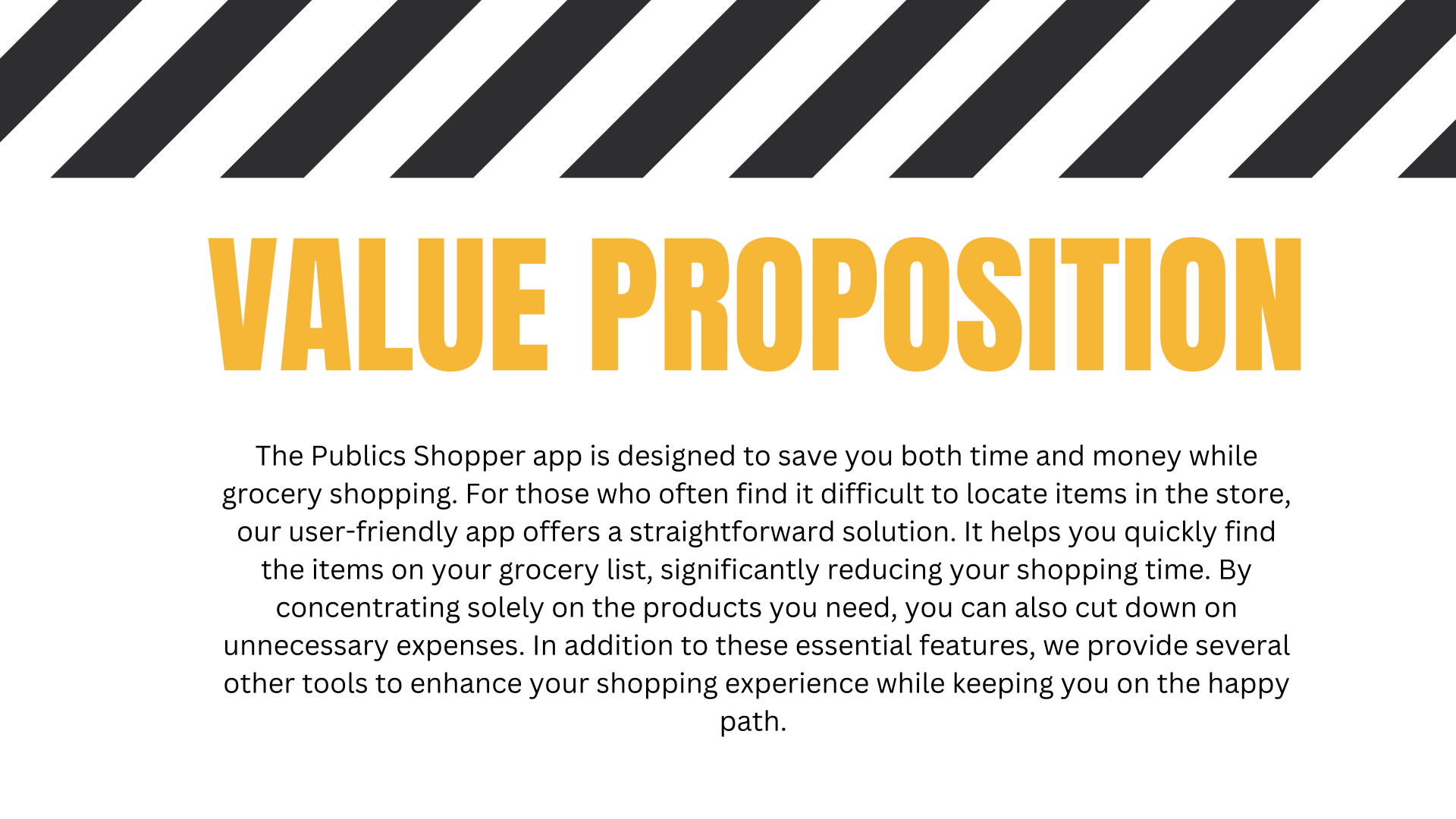
Modern grocery shopping is plagued by inefficiencies that cost consumers both time and money. Shoppers struggle with forgotten items, missed deals, store navigation difficulties, and long checkout lines. Our challenge was to create a unified mobile experience that addresses these pain points while integrating seamlessly with existing grocery store operations.
Key Problems Identified:
Average shopping trip takes 43 minutes with 23% of that time spent searching for items
68% of shoppers forget items from their mental shopping lists
Consumers miss an average of $12 in applicable discounts per shopping trip
Checkout lines account for 31% of total shopping time
The Solution
A comprehensive mobile grocery application that combines intelligent shopping assistance, personalized deal discovery, and seamless store integration with a focus on efficiency and user experience.
headfirst into the deep end.
Project Scope & Growth
Expanding from Concept to Full App Experience
The Commitment Behind the Work
This project required a significant investment of time, energy, research, and persistence. It challenged me in ways I did not expect, but each obstacle became an opportunity to grow. Through the process, I gained a deeper understanding of what it means to approach design with intention, resilience, and a true UX/UI mindset.
Key Lessons Learned
1. Assessing Scope with Clarity
One of the most important lessons I gained from this project was learning how to evaluate project scope more realistically. Patrick’s Grocery Store App helped me understand the difference between what a project may appear to require at first glance and the deeper level of strategy, research, iteration, and execution needed to bring it to life successfully.
2. Understanding the Role of Research
This project reinforced that strong design is not only about visual appeal. It is about understanding users, competitors, behaviors, pain points, and context. Research became the foundation of my design decisions, helping me create with greater purpose and intention.
3. The Value of Planning
Throughout the project, I learned that thoughtful planning is essential to the design process. Each unexpected challenge showed me how important it is to define goals, organize workflows, and anticipate obstacles early. Planning upfront helped create a stronger, more focused path toward execution.
4. Using Frameworks to Guide Design
Learning how to apply design frameworks gave structure to my process and helped me make more intentional decisions. Having a clear framework allowed me to move from uncertainty to direction, creating a more organized and effective design experience.
Growth: From Overwhelmed to Empowered
What My First Major Project Taught Me
Patrick’s Grocery Store App was one of the most challenging and transformative projects in my design journey. At times, it felt overwhelming, but it also strengthened my confidence, discipline, and understanding of the UX/UI process. Every screen, revision, and challenge helped build the foundation for the designer I am becoming. This project taught me that design is not only about creating solutions, but also about growing through the process of discovery, problem-solving, and refinement.
Research Phase
Market Analysis
Market Size: $682B US grocery market with mobile commerce growing at 15.3% annually
Key Competitors: Instacart, Amazon Fresh, Walmart Grocery, Kroger app, Target app
Market Gaps: Poor in-store navigation, missed personalization opportunities, fragmented checkout experiences, limited real-time inventory integration
User Research Methods
User Interviews: 15 participants (ages 25-55, mixed shopping frequency)
Observational Studies: 8 in-store shopping sessions
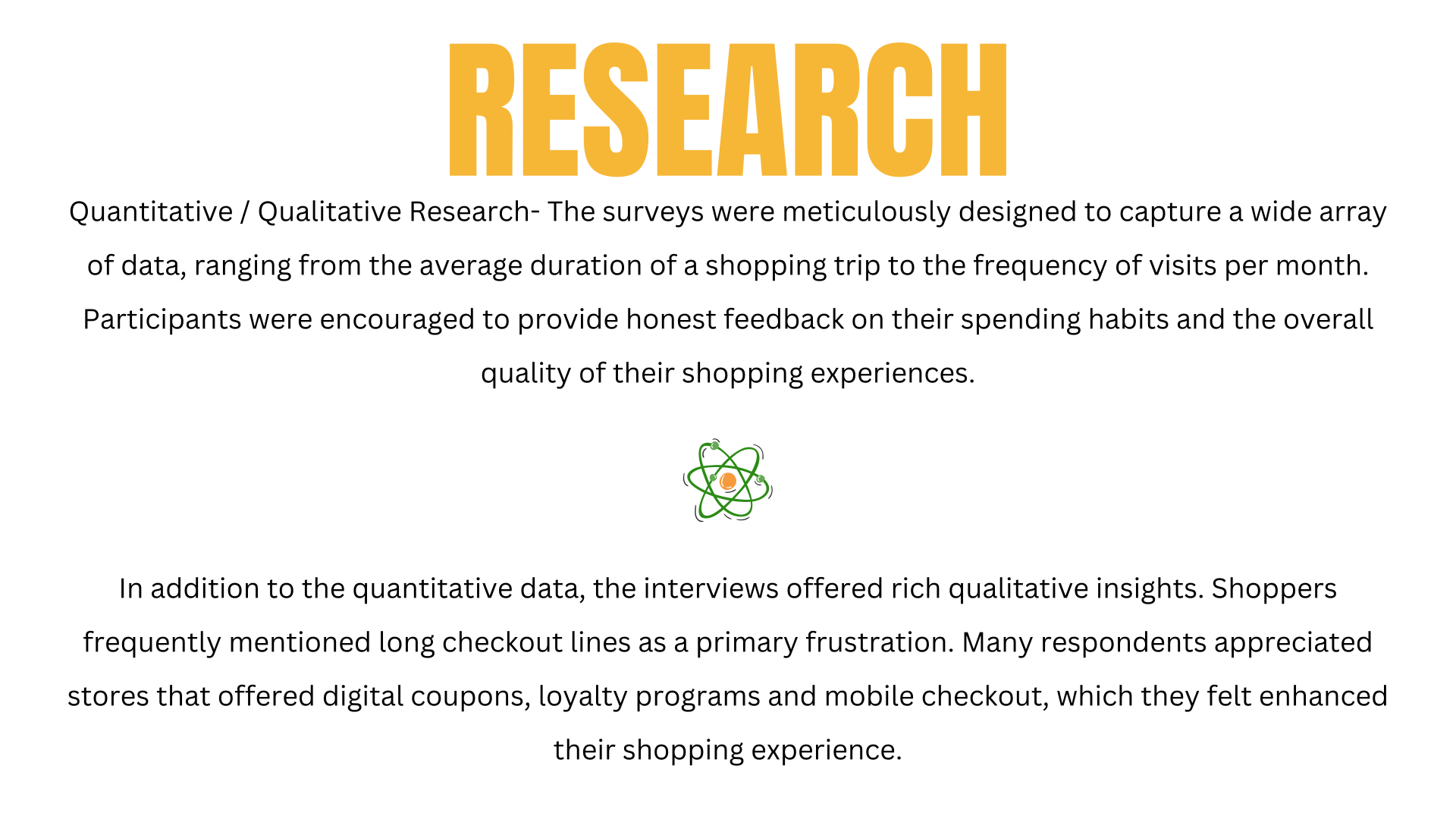
Online Surveys: 11 responses for problem validation
Competitive Analysis: 5 major grocery platforms
Card Sorting: Information architecture validation
Key Research Insights
Primary Pain Points Identified:
Shopping Inefficiency: 78% of users forget items despite having lists
Navigation Challenges: 65% struggle to find items in unfamiliar stores
Missed Savings: 82% miss relevant deals and promotions
Checkout Frustration: 71% find checkout lines frustrating during peak hours
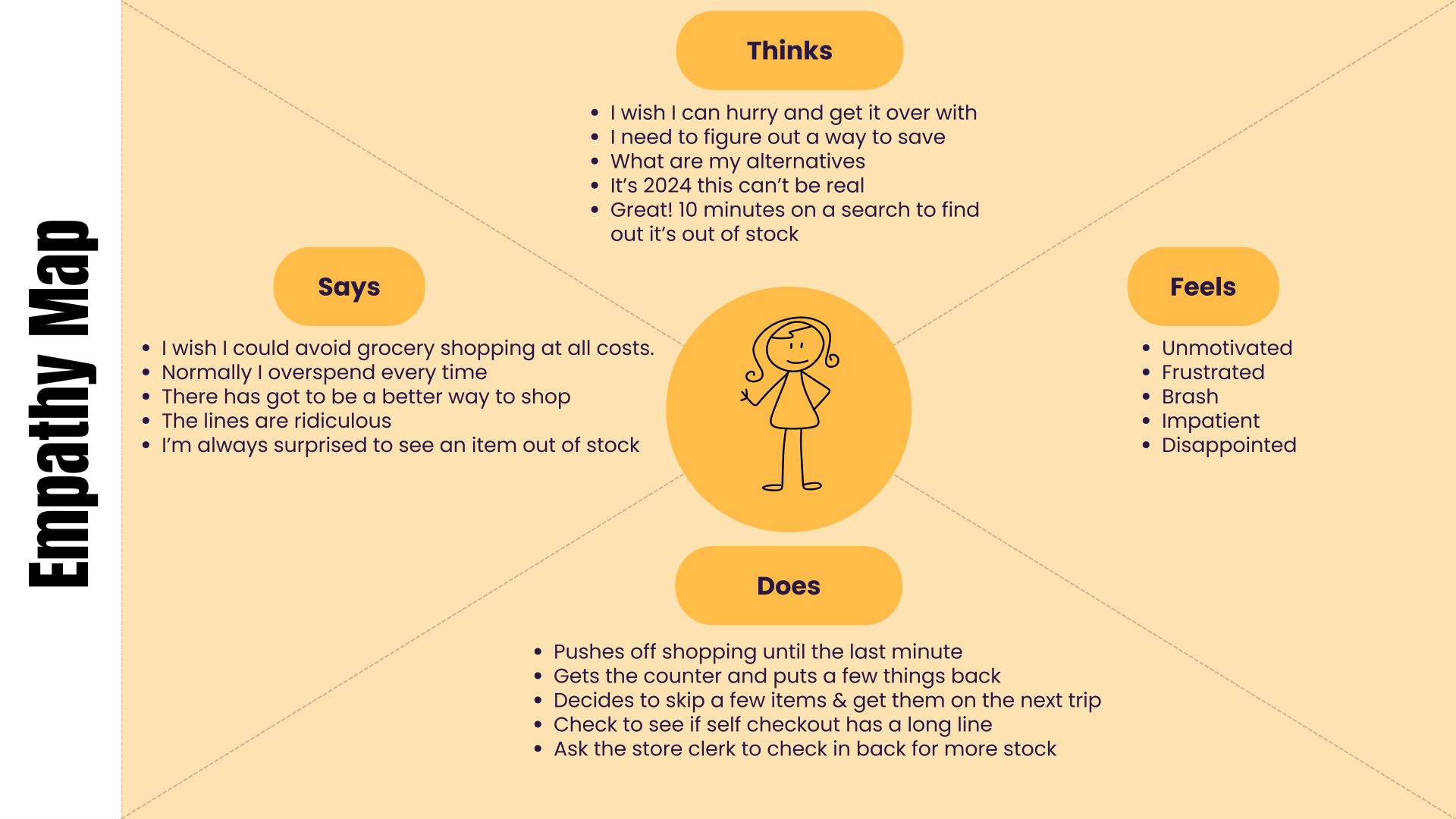
The Real Insights
The empathy maps revealed things analytics couldn't. Like how busy parents aren't worried about app speed—they're terrified of forgetting something and having to drag tired kids back to the store. Or how budget-conscious shoppers feel anxiety with every purchase decision, not just annoyance at high prices.
Empathy mapping showed me that grocery shopping isn't really about groceries. It's about fitting one more overwhelming task into an already packed day.
That's why I used it—because the app needed to solve emotional problems, not just functional ones.
User Story

I have a hypothesis would you like to hear it? Here it goes…

Starting with Curiosity, Not Assumptions
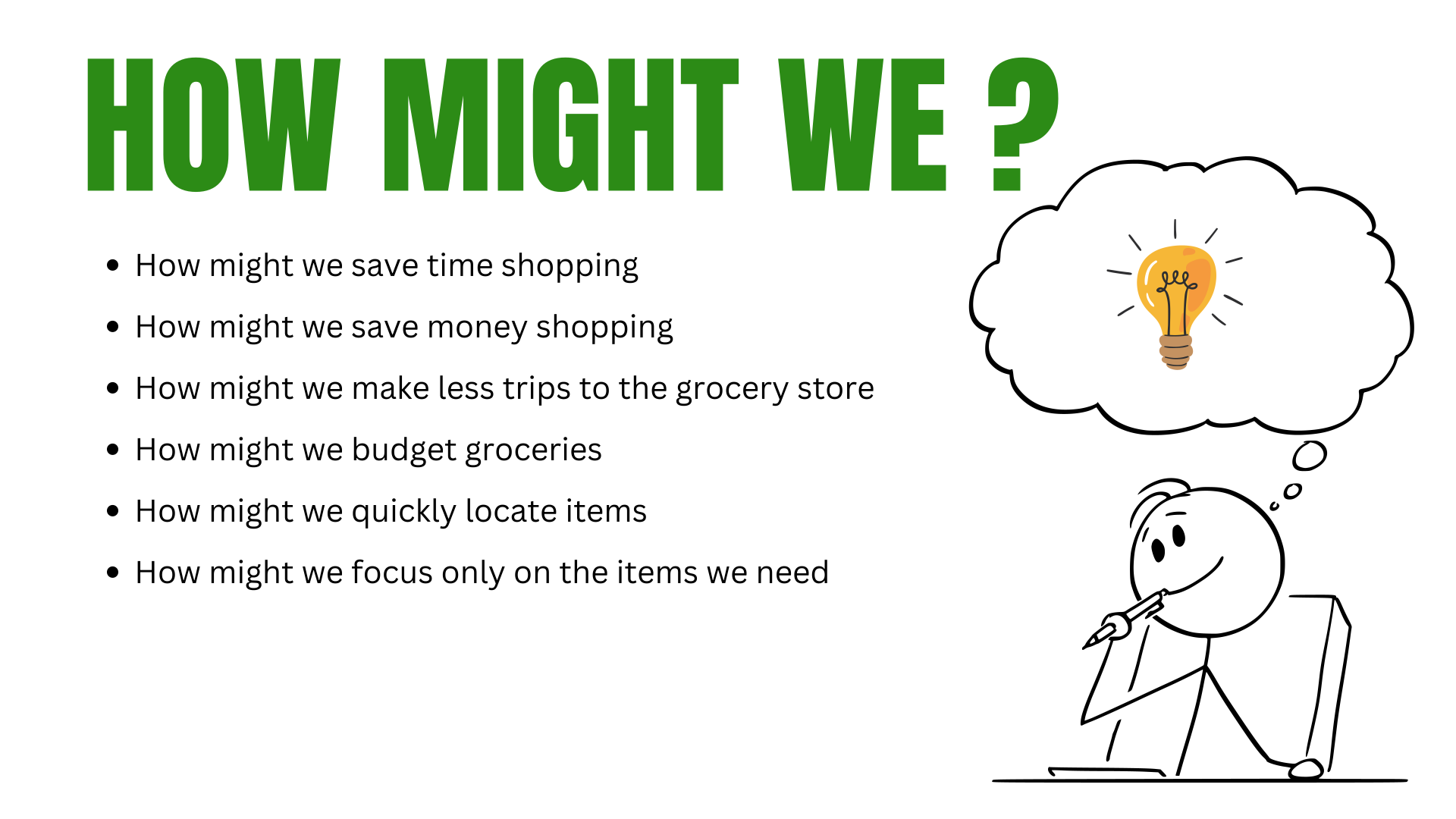
While working on this design, I realized that my initial assumptions about user pain points might be missing the mark. Instead of diving headfirst into design solutions, I took a step back and embraced what I call "strategic questioning."
The breakthrough came when I shifted my mindset from "How do I solve this?" to "What questions will reveal the real problems worth solving?"
The Question-First Approach
Rather than designing in a vacuum, I developed a series of targeted questions aimed at understanding the deeper needs of our shoppers. This isn't just about user interviews—it's about crafting the right inquiry framework that uncovers insights we didn't even know we were looking for.
From Questions to Actionable Solutions
This question-driven approach doesn't just generate interesting data—it creates a direct pathway to solutions that actually matter to users. When we understand the why behind user behavior, the what of our design decisions becomes surprisingly clear.
Journey Mapping
Through our research, we identified five critical stages in the grocery shopping journey:
Pre-Shopping Planning - List creation, meal planning, coupon gathering
Store Entry - Orientation, cart selection, initial navigation
Item Collection - Finding products, comparing prices, managing quantities
Checkout Process - Payment, bagging, receipt management
Post-Shopping - Unpacking, meal prep, expense tracking

Storyboard
I created a storyboard to visualize how users might move through the grocery shopping experience in a real-world setting. This helped me connect the digital flow to the physical shopping journey, from planning a list at home to finding items in-store and completing checkout.
The storyboard clarified key moments of friction, including forgotten items, difficulty locating products, and checkout delays. These insights helped guide feature decisions around smart lists, store navigation, coupon access, and express checkout.

Design Process
Information Architecture
We structured the app around four core pillars that address our users' primary needs:
Smart Lists - AI-powered shopping lists with recipe integration
Savings Hub - Centralized deals, coupons, and price comparisons
Store Navigator - Interactive maps and item location services
Express Checkout - Streamlined payment and pickup options
User Flow Design
Primary User Flow: Complete Shopping Experience
Grocery App User Flow
Entry Point
Users begin their journey on the Home screen, which serves as the main landing page for the grocery shopping app.
Authentication Path
From the home screen, users have two authentication options:
Option 1: Account Creation
Users can select Create Account to register as new users
After account creation, they proceed to the Login screen
Once logged in, they access the main shopping features
Option 2: Existing User Login
Users can go directly to Login for existing accounts
Successful login leads to the main shopping experience
Option 3: Guest Access
Users can choose Continue as Guest to bypass registration
This provides immediate access to shopping features without creating an account
Main Shopping Experience
Once authenticated (or as a guest), users can access four primary shopping methods:
1. Recipe-Based Shopping
Shop Recipes: Browse and select from curated recipes
Users can search for specific recipes or ingredients
Selected recipe ingredients automatically populate the cart via Add to Cart
2. List-Based Shopping
Shop Grocery List: Access pre-made or custom grocery lists
Items can be added directly to cart from the list
Streamlined shopping for routine purchases
3. Discount Shopping
Shop Discounts: Browse current deals and promotional items
Users can search through discounted products
Discounted items can be added to cart
4. General Search
Search: Open search functionality for finding specific products
Universal search across all product categories
Direct path to Add to Cart for found items
Cart and Checkout
All shopping paths converge at the Add to Cart functionality, where users can:
Review selected items
Modify quantities or remove items
Proceed to Checkout when ready to complete their purchase
User Flow Summary
The flowchart demonstrates a flexible shopping experience that accommodates different user preferences—from recipe inspiration to quick list shopping to deal hunting—while maintaining a consistent path to purchase through the centralized cart and checkout system.

Wireframing & Prototyping
Low-Fidelity Wireframes: Started with paper sketches focusing on core navigation and task flows. Tested basic concepts with 12 users through guerrilla testing sessions.
High-Fidelity Prototypes: Developed pixel-perfect designs with micro-interactions and real content for final validation testing.
Design Solutions & Key Features

Proposed Features & Validation
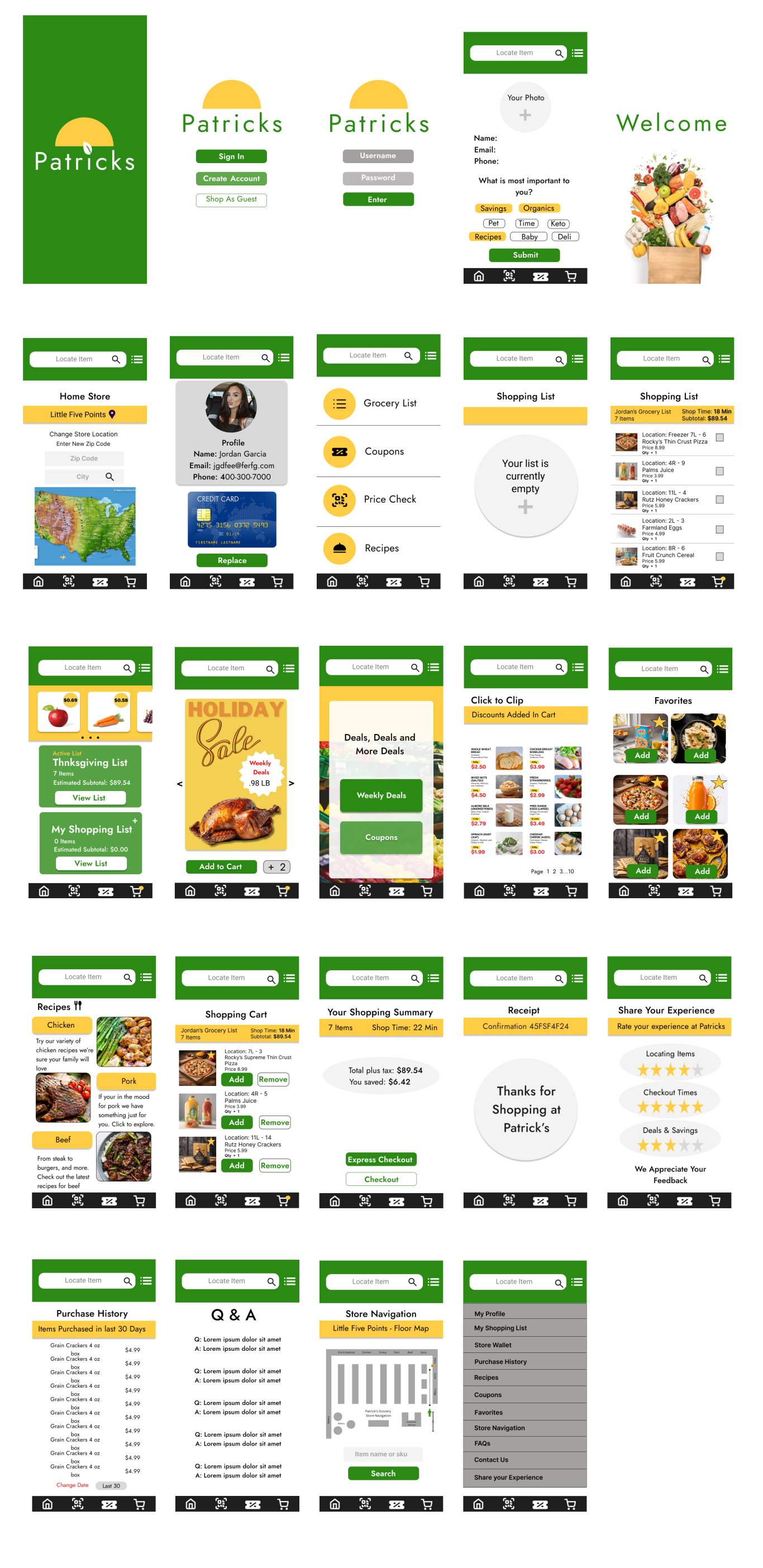
Patrick’s Grocery was designed to make grocery shopping easier from planning to checkout. Based on user interviews, journey mapping, and usability testing, I focused on four core solutions:
Smart Shopping Lists
Organized items by category, supported recipe-to-list planning, and helped users avoid forgotten items.
Savings Hub
Centralized coupons and deals so users could find savings without searching across multiple areas.
Store Navigation
Explored in-store guidance to help users locate items faster and move through unfamiliar layouts with less friction.
Express Checkout
Designed a faster checkout concept with mobile payment, digital receipts, and clearer trust signals.
Validation
Usability testing with 7 participants achieved a 94% task success rate across key flows, including list creation, coupon discovery, store navigation, and checkout.
Testing showed that users valued simple labels, fewer steps, visible savings, and clear guidance throughout the shopping journey. These insights helped refine the app structure, improve hierarchy, and simplify the overall experience.
Results & Impact
Because Patrick’s Grocery was a capstone project, success was measured through prototype validation rather than post-launch business performance. The goal was to evaluate whether the proposed shopping experience helped users plan more efficiently, find savings faster, and move through the store with less friction.
Usability testing with 7 participants showed strong validation of the core shopping flow, with a 94% task success rate across key features including shopping list creation, digital coupons, store navigation, recipe integration, and mobile checkout.
Key Outcomes
Validated the main grocery shopping flow through usability testing
Identified store navigation, digital coupons, and list-building as the most valuable features
Improved screen hierarchy and information architecture based on user feedback
Strengthened the connection between digital planning and in-store shopping behavior
Confirmed the need for a simpler, more guided shopping experience for busy users
Lessons Learned
This project taught me how important scope, structure, and testing are when designing a product with multiple connected features. Grocery shopping is both a digital and physical experience, so the design had to support planning before the trip, decision-making inside the store, and confidence during checkout.
I also learned that users value clarity over complexity. Features like coupons, recipes, maps, and mobile checkout are only useful when they feel easy to access and naturally connected to the shopping journey.
Next Steps
Future iterations would focus on improving voice search, expanding dietary preference filters, exploring real-time inventory updates, and testing family/shared shopping list features. I would also continue refining accessibility, offline usability, and checkout confidence to create a more seamless end-to-end experience.